Showing posts with label stylus. Show all posts

Wednesday, May 22, 2013

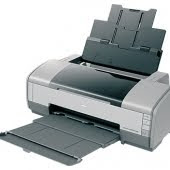
Epson Stylus Photo C91


Helos

I have to provide adjustment program Epson Photo C91, C92 you can download it easily. Adjustment
Epson program for Windows XP.

To reset waste ink pad counter C91 or C92 printers you have to:
- Run the program
- Choose Particulare Adjustment Mode - Choose Waste Ink Pad Counter
- Press INITIALIZE!

Adjustment Program epsonStylus photo C91,C92 download

Tuesday, May 21, 2013

Resetter Epson Stylus Photo R230 R220 and R270

Download Service Manual Epson R230 and R220

Before run adjustment program or software resetter Epson Stylus Photo R220 and R230, set date setting in your computer to 12 January 2006. Appearance of adjustment program Epson stylus photo R220 and R230 like adjustment program for Epson C45. Your Epson Stylus Photo R220 and R230 must be installed correctly in your computer before using the software otherwise so this software resetter will not be used.
Here how to use the software

* Download and extract downloaded software and run it.
* Click accept button.
* Set model name, port selection and destination setting and equal
to your printer.
* Click Maintenance Tab.
* Check mark waste ink pad counter.
* And the clear the protection counter (reset counter to zero)
* Then click Ok, Ok
* done

=> adjusment program Epson R220 - R230
=> adjusment program Epson R270
Download manual service
and any way if epson r230 blinking you can use SSC
klik at => SSC 4.3 and there are tutorial and how to use it.

Please to be Patient and if any one want something else please give me comment down here Ok
thanks guys 4 all comment

Saturday, May 18, 2013

Epson Stylus Pro 4000 Waste Ink Counter Reset

  • While Powering up the printer, hold down the the left arrow, down arrow, and Up arrow buttons
  • You will get a “Self Testing” message.
  • Use the Up Arrow button to select the “Clear Counters” menu.
  • Press the right arrow button (the Menu button).
  • Scroll through with the up/down arrows to select “Maint Tank”
  • Select with the right arrow and execute with the right arrow
  • Turn your printer off then turn it back on.

Epson Stylus Pro 7900 Printer


Epson has launched two new additions to its Stylus Pro inkjet printer range, the SP7700 and SP9700. At 24in and 44in respectively, the Epson Stylus Pro 7700 and 9700 are packed with the latest Epson technologies that add precision, reliability and productivity to a wide range of professional printing applications.

Epson technology is renowned for delivering fast, efficient printing. The Epson Stylus Pro 7700 and 9700 are designed to produce faster output without compromising print quality, by using advanced compression and decompression technologies that speed up data during printing. The printers feature the latest Epson MicroPiezo TFP print head, which is optimised to work with a five colour ink set, a subset of Epson UltraChrome HDR Ink incorporating cyan, vivid magenta, yellow, photo black and matte black. The print head delivers perfectly accurate dots with virtually no misting or satellites. Perfect smoothness and detail is down to Epson Variable-Size Droplet technology (VSDT), which can produce droplets as small as 3.5 picolitres.

The Epson Stylus Pro 7700 and 9700 produce prints with even more impact thanks to the Vivid Magenta Technology. Vivid Magenta gives a wider colour gamut, which in turn provides enhanced colour accuracy. This is particularly noticeable for blues, magentas, reds and oranges, giving prints a more natural and life-like appearance. The ink set also includes both Matte and Photo black inks, which maximises quality on any given media. The printer automatically selects the optimum black ink to match the media, which adds convenience and productivity to the printing process and reduces cost.

Prints from the Epson Stylus Pro 7700 and 9700 are highly light-fast and will retain their colour and quality for longer, wherever they are used. The specifically formatted pigment inks are water-resistant and have excellent colour stability, for long-lasting prints which are dry and stable very shortly after emerging from the printer.

There is a range of features of the Epson Stylus Pro 7700 and 9700 which makes the printing process as easy and as flexible as possible. Fast network connection, clear control and straightforward operation and maintenance are built in. The high-visibility 320x200 pixel control panel screen shows all aspects of the printer from ink levels and quick cleaning to paper cutting and job cancellation. Barcode printing is a way to keep track of media during changes and can eliminate misprints due to lack of media. The new spindle-less flange system makes changing roll paper easier and takes up less space. It handles a wide variety media types, sizes and tensions and the new rotary paper cutter is more durable, cuts smoothly and cleanly in seconds, so there is no need for manual cutting.

Intelligent software helps users get the most out of the Epson Stylus Pro 7700 and 9700 by keeping track of all aspects of printing, streamlining the workflow and enhancing creativity. The new intuitive printer driver is easy to use and can be customised for different levels of information and print and media settings. These printers include the drivers to support the AutoCad HDI interface for high speed and precision accuracy.

Epson’s Layout Manager, a new function within the printer driver, enables the easy importation and layout of data created in various applications. Functions such as Move, Enlarge/Reduce, Rotate and Fit-to-Roll simplify workflow and reduce waste.

Epson Stylus Pro 7700 and 9700 key features summary:

· Advanced 10-channel Epson MicroPiezo™ print head

· 5-colour Epson UltraChrome HDR (subset) ink technology with Vivid Magenta Technology – Cyan, Vivid Magenta, Yellow, Matte Black and Photo Black

· 1440x1440 dpi resolution with Epson Variable-sized Droplet technology

· Handles roll or cut sheet media up to 24” for SP7700 and 44” for SP9700 and 1.5mm thick

· New flange roll holder for fast and easy media changeover

· 2.5” colour LCD control panel with white backlight

Adjustment Epson Stylus Photo 1390


Description

6-colour premium-grade A3+ size prints within the reach of your budget
Reduce Costs with INKdividual™ Cartridges

* Cost-efficient INKdividual™ cartridges
* Optimise ink usage and reduce expenses
* Replace single cartridges when any colour ink runs out
* Eliminates wastage of throwing away an integrated cartridge with remaining ink in other colours

Fast Speed to Stay One Step Ahead

* Swift print-outs of up to 15ppm for colour and monochrome
* 5 different droplet sizes with Advanced VSDT
* Portrays the most subtle colour transitions
* Optimized speed performance

When Print Size Matters

* Eye-catching prints of up to A3+ BorderFree size
* For beautiful design proofs, impactful promotional materials, and exhibition-quality photographs
* Affordable large prints versatility for small business outfits

Striking Visual Expression

* Specially formulated New Photo Ink for the finest visual prints
* Wider colour range and glossy finish
* Vivid rendition of black-and-white portraits, artwork and soothing landscapes
* Maintain and keep photo prints for the long term
* Lasts up to 200* years in photo album storage

Quality that Makes a Difference

* Images are portrayed superbly up to 5760x1440 dpi
* Advanced Micro Piezo print head with VSDT technology
* Minimum 1.5pl ink droplets for the smoothest graduation

Adobe RGB Support for the Serious Photographer

* Innovative Adobe RGB colour mode solution
* Brilliant colour expression
* Accurately depict the wider gamut of images captured on professional
digital cameras
* Wide range of colour output modes
* Indispensable for the graphic professional, the business user,
or the photo enthusiast

Improved PhotoEnhance for Flawless Photos

* Print perfect photos with no hassle
* New improved EPSON PhotoEnhance™ Technology
* Intelligent software analysis to determine optimal image settings
* Automatic adjustment of colour cast, backlight and skin tone

Effortless Usage with EPSON Creativity Suite

* One-stop photo software solution
* Neatly manage all your digital images
* Print beautiful, high-quality photos easily with Easy Photo Print
* Supports many RAW image formats for professional needs

Download Link :
Adjustment Epson Stylus Photo 1390

Friday, May 17, 2013

Epson Stylus Color C20 C40

Dear all reseters


Service (Adjustment) Programs


Since your printer consumes ink not only for printing but also for other operations like cleaning, a certain amount of ink is wasted and it is collected by the waste ink pad. Therefore, the printer counts the amount of waste ink.
Once the amount of waste ink reaches the predefined limit, the printer indicates "MAINTENANCE REQUEST" and the waste ink pad should be replaced. Also, you must reset the maintenance error condition and the waste ink counter value stored in EEPROM on the mainbord of the printer.

The adjustment program enables you to perform maintenance and adjustment functions such as:

- EEPROM initial setting
- Ink Pad Counter reset
- Initial Ink Charge
- Head ID Setting
- Top margin Adjustment
- Bi-D Adjustment
- USB ID Input

Note: The above list is related to models Epson C20 and C40 only. Other printer models may have different set of functions, and you must doublecheck the service manual for a specific printer that you are going to troubleshoot.Warning: misuse of a program may damage printers EEPROM! Under Window 98 only.

This service program can be Adjustment program epson downloaded FREE!

Today you can download FREE Service Programs:Epson Stylus Color C41, C42 printer service program (under Windows 98 only) download (462kB) FREE!Epson Stylus Photo 900 printer service program (under Windows XP, 2000) download (571kB) FREE! Stylus Epson Stylus Color C60 printer service program (under Windows 98 only) download (609) FREE!

Thursday, May 16, 2013

Inkjet Printers Epson Stylus T11


This printer is cheap but high-resolution support. Suitable for home users and the lovers photographi. Because, other than the results of the high-molder also molder lasting results.

Printers target this segment of the home have the highest resolution in the class, which can reach 5760x1440 with Variable-sized Droplet Technology. By using the technology, Epson T11 able to produce a text that is more sharply, the more beautiful colors and prints of the results of a more durable.

Ink default printer features Epson Durabrite Ultra Link, and pulling the ink in the design in such a way so resistant to water and mold can not make the results quickly terdegradasi. In this case, the Epson picking cetakkannya that the results remain sharp and beautiful for many years.

Not to burden the users in terms of the cost of replacing the cartridge, the stylus T11 has also features sparingly with the Epson INKdividual Cartridges for Maximum Savings. Where each cartridge is inserted independent. Which means that, if a certain color cartridge out, so users only need to replace the cartridge out of it. This is of course more cost-efficient compared to a combined cartridge, which must replace the color cartridge 1 still contains the other.

Epson Stylus T11 mempu print speed with 22 page document didnt per minute and 33 color pages to the document. Meanwhile, to print the photos needed time 156 seconds, to the size of 10x15cm or 4x6 inch borderless with a maximum resolution. The results of mold tray can hold up to 80 sheets of paper A4

In it, the software is also available from Epson Perfection Photo Creativity Suite. This software can mongkustomisasi images in which you want to print. So users do not need to look more photo-processing software daro third parties. With this software, users can get results than a photo lab printing photos. For not caused, Epson PhotoEnhance can also automatically to Adjust the picture to a photo image will be printed in color have a more beautiful color.

Epson Stylus T11 berdimensi 435x219x165mm with a weight of 2.8 kg. The operating system didukungnya is Windows 2000, XP, 32 and 64 bit and Windows Vista. For Macintosh users can use the operating system MacOS 10.3.9 to the top of the series. When the printer work requires power only 11 watts.

adjustment program epson stylus
free download

Wednesday, May 15, 2013

Stylus Photo R390

  1. Turn on the printer
  2. Set the pc date setting to 1 January 2007
  3. Adjprog.exe run from the extract of a folder (or locate the file or application. Exe and run it)
  4. Click accept
  5. Click on the particular mode adjustment
  6. Go to interview Then select waste ink pad counter then click ok
  7. Click "button box" until it is done then click "initialization" button and then click "finish button"
  8. Turn off the printer for 5secs then turn again
  9. Set the date today.
Download Epson R390

Tuesday, May 14, 2013

EPSON Stylus Photo 750 Counter Reset

This program can be used with following conditions:

  1. Download this program
  2. Change the date on your PC to February 1 2007.
  3. Run the program. It will give Expired Program message.
  4. Exit program.
  5. Delete the folder - C:/Adjustment Programs/ on your PC.
  6. Run the program. It has to work perfectly this time!
ATTENTION!
After Feb 22, 2007 the program has been expired,
but you can RUN it using instructions at the UP of the page

Service Adjustment Program Stylus Epson

Today you can download FREE Service Programs:

Epson Stylus Color type 480,580,680,777,780,790,860,1160,61,62,70,825
830,870,890,950,1270,1280, printer service program download (336) FREE!
This is the most downloads for reseters ( according to my downloads count )Just download at this link :
stylus photo C67 Download Free
stylus photo 510 Download Free
stylus cx3900 Download Free
stylus Photo R210 Download Free
stylus Photo R310 Download Free
stylus Photo C58 Download Free
stylus C60 Download Free
stylus Photo C59 Download Free
stylus Photo C20,40 Download Free
stylus Photo C41,42,43,44,45,46 Download Free
stylus Photo C61,62 Download Free
stylus photo C63,64 Download Free
stylus photo 83,84,85 Download Free
stylus photo C67,68 Download Free
stylus photo C65 Download Free
stylus Color 580 Download Free
stylus Color 680,777 Download Free
stylus photo C80,70 Download Free
stylus Color 780,790 Download Free
stylus Color 925 Download Free
stylus Color 1520,3000Download Free
stylus Collor 880 Download Free

Monday, May 13, 2013

Stylus Photo RX650


Here this step to use Resetter Printer Epson RX650
  1. Switch on printer
  2. Set the pc date setting to 13 february 2007
  3. Run adjprog.exe from the extracted folder
  4. Click accept
  5. Click particular adjustment mode
  6. Go to maintenance then Select waste ink pad counter then click ok
  7. Click on "check button till its done then click on initialization button then click on finish button
  8. Switch off printer for 5 secs then switch on again
  9. After you reset succesfully, you can change the date back to normal
Download Resetter Epson RX650

Sunday, May 12, 2013

Epson Stylus Pro 4000 Waste Ink Counter Reset

Epson Stylus Pro 4000 Waste Ink Counter Reset

* While Powering up the printer, hold down the the left arrow, down arrow,
and Up arrow buttons
* You will get a “Self Testing” message.
* Use the Up Arrow button to select the “Clear Counters” menu.
* Press the right arrow button (the Menu button).
* Scroll through with the up/down arrows to select “Maint Tank”
* Select with the right arrow and execute with the right arrow
* Turn your printer off then turn it back on.

Epson Stylus T20E


Deskripsi


Amazing print speed, superb quality and longer lasting prints
Enjoy speed high quality and affordable printing with the Epson Stylus™ T20E

Assured Quality with Epson DURABrite™ Ultra Ink
* Ideal all-purpose ink for everyday printing
* Smudge, water and fade-resistant qualities ensures prints stay vibrant for many years to come

Epson INKdividual™ Cartridges for Maximum Value
* Replace only the cartridge that runs out
* Affordable INKdividual™ cartridges
* Reduce ink wastage and maximise savings

Excellent Print Speed to Boost Productivity
* Maximise time efficiency and productivity
* Achieve more in less time with excellent print speed of up to 26ppm

High Resolution for Superior Print Quality
Assured high quality printouts at up to 5760 dpi

Photo Perfection with Epson Creative Suite
* One-stop photo software solution
* Achieve photo lab quality prints in 3 simple steps with Epson Easy Photo Print
* Epson PhotoEnhance automatically adjusts images to give you amazing
true-to-life colour photos

Epson Stylus C58 Color Inkjet Printer


Epson Stylus C58 Inkjet Printer Features

* On-demand Color Inkjet Printer
* Print speed
Black: 22 ppm (economy)
Color: 12 ppm (economy)
Photo: 85 seconds ( 4×6 / 10×5 - borderless)
* Max resolution (b&w) 5760 x 1440 dpi (with Variable-Sized Droplet Technology)
* Max resolution (color) 5760 x 1440 dpi (with Variable-Sized Droplet Technology)
* Paper Feed Method - Friction feed
* Paper Input capacity - 80 sheets, A4 Plain paper
* Max document size (print) - A4, A5, A6, B5, letter, half letter, legal, 4R, 5R, envelope, 132 x 220mm
* Black ink cartridge - Approx. 170 pages
* Color ink cartridge - Approx. 255 pages
* Interface - USB v2.0
* Input Data Buffer - 32 KB
* Compatible - Windows 98SE / ME / 2000 /XP/ XP, Mac OS 10.2+
* Dimensions - 435 (L) x 219 (D) x 165 mm (H)
* Weight - 2.8 kgs

C58 printer Blnking, would need Software Reset Blinking Printer EPSON Stylus C58 ... please downlod free. hopefully useful.

Download resetter Epson C58

Saturday, May 11, 2013

Epson Stylus C90


Resetter Adjustment Prgogram Epson Stylus C90


This for Epson printer. Reset your waste ink pad counter. If any question you can ask to me how to run Adjustment Program. Thank you. and Happy RESET!!
Note : tell your friend about my site. Maybe your friends is very needed.
Download Link
stylus photo C90 Verion Indonesia download
stylus photo C92 Version Singapore download

Thursday, May 9, 2013

EPSON STYLUS C82


This service manual contains information for the EPSON Stylus C82 and this manual contains information necessary to test, calibrate and service.

Table of contents EPSON Stylus C82 Printer Service And Repair Manual

  • Product Description
  • Operating Principles
  • Troubleshooting
  • Disassembly & Assembly
  • Adjustment
  • Maintenance & Setup
Download EPSON Stylus C82 Printer Service And Repair Manual