Showing posts with label photo. Show all posts

Wednesday, May 22, 2013

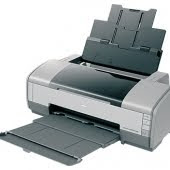
Epson Stylus Photo C91


Helos

I have to provide adjustment program Epson Photo C91, C92 you can download it easily. Adjustment
Epson program for Windows XP.

To reset waste ink pad counter C91 or C92 printers you have to:
- Run the program
- Choose Particulare Adjustment Mode - Choose Waste Ink Pad Counter
- Press INITIALIZE!

Adjustment Program epsonStylus photo C91,C92 download

Tuesday, May 21, 2013

Resetter Epson Stylus Photo R230 R220 and R270

Download Service Manual Epson R230 and R220

Before run adjustment program or software resetter Epson Stylus Photo R220 and R230, set date setting in your computer to 12 January 2006. Appearance of adjustment program Epson stylus photo R220 and R230 like adjustment program for Epson C45. Your Epson Stylus Photo R220 and R230 must be installed correctly in your computer before using the software otherwise so this software resetter will not be used.
Here how to use the software

* Download and extract downloaded software and run it.
* Click accept button.
* Set model name, port selection and destination setting and equal
to your printer.
* Click Maintenance Tab.
* Check mark waste ink pad counter.
* And the clear the protection counter (reset counter to zero)
* Then click Ok, Ok
* done

=> adjusment program Epson R220 - R230
=> adjusment program Epson R270
Download manual service
and any way if epson r230 blinking you can use SSC
klik at => SSC 4.3 and there are tutorial and how to use it.

Please to be Patient and if any one want something else please give me comment down here Ok
thanks guys 4 all comment

Saturday, May 18, 2013

Adjustment Epson Stylus Photo 1390


Description

6-colour premium-grade A3+ size prints within the reach of your budget
Reduce Costs with INKdividual™ Cartridges

* Cost-efficient INKdividual™ cartridges
* Optimise ink usage and reduce expenses
* Replace single cartridges when any colour ink runs out
* Eliminates wastage of throwing away an integrated cartridge with remaining ink in other colours

Fast Speed to Stay One Step Ahead

* Swift print-outs of up to 15ppm for colour and monochrome
* 5 different droplet sizes with Advanced VSDT
* Portrays the most subtle colour transitions
* Optimized speed performance

When Print Size Matters

* Eye-catching prints of up to A3+ BorderFree size
* For beautiful design proofs, impactful promotional materials, and exhibition-quality photographs
* Affordable large prints versatility for small business outfits

Striking Visual Expression

* Specially formulated New Photo Ink for the finest visual prints
* Wider colour range and glossy finish
* Vivid rendition of black-and-white portraits, artwork and soothing landscapes
* Maintain and keep photo prints for the long term
* Lasts up to 200* years in photo album storage

Quality that Makes a Difference

* Images are portrayed superbly up to 5760x1440 dpi
* Advanced Micro Piezo print head with VSDT technology
* Minimum 1.5pl ink droplets for the smoothest graduation

Adobe RGB Support for the Serious Photographer

* Innovative Adobe RGB colour mode solution
* Brilliant colour expression
* Accurately depict the wider gamut of images captured on professional
digital cameras
* Wide range of colour output modes
* Indispensable for the graphic professional, the business user,
or the photo enthusiast

Improved PhotoEnhance for Flawless Photos

* Print perfect photos with no hassle
* New improved EPSON PhotoEnhance™ Technology
* Intelligent software analysis to determine optimal image settings
* Automatic adjustment of colour cast, backlight and skin tone

Effortless Usage with EPSON Creativity Suite

* One-stop photo software solution
* Neatly manage all your digital images
* Print beautiful, high-quality photos easily with Easy Photo Print
* Supports many RAW image formats for professional needs

Download Link :
Adjustment Epson Stylus Photo 1390

Wednesday, May 15, 2013

Stylus Photo R390

  1. Turn on the printer
  2. Set the pc date setting to 1 January 2007
  3. Adjprog.exe run from the extract of a folder (or locate the file or application. Exe and run it)
  4. Click accept
  5. Click on the particular mode adjustment
  6. Go to interview Then select waste ink pad counter then click ok
  7. Click "button box" until it is done then click "initialization" button and then click "finish button"
  8. Turn off the printer for 5secs then turn again
  9. Set the date today.
Download Epson R390

Tuesday, May 14, 2013

EPSON Stylus Photo 750 Counter Reset

This program can be used with following conditions:

  1. Download this program
  2. Change the date on your PC to February 1 2007.
  3. Run the program. It will give Expired Program message.
  4. Exit program.
  5. Delete the folder - C:/Adjustment Programs/ on your PC.
  6. Run the program. It has to work perfectly this time!
ATTENTION!
After Feb 22, 2007 the program has been expired,
but you can RUN it using instructions at the UP of the page

Monday, May 13, 2013

Stylus Photo RX650


Here this step to use Resetter Printer Epson RX650
  1. Switch on printer
  2. Set the pc date setting to 13 february 2007
  3. Run adjprog.exe from the extracted folder
  4. Click accept
  5. Click particular adjustment mode
  6. Go to maintenance then Select waste ink pad counter then click ok
  7. Click on "check button till its done then click on initialization button then click on finish button
  8. Switch off printer for 5 secs then switch on again
  9. After you reset succesfully, you can change the date back to normal
Download Resetter Epson RX650